
SITUATION — Shopping list
Reduce missed requests and duplicate shopping
Turn “Could you pick this up?” into a request the family can revisit. The person asking and the person shopping use the same item.
Start here
- 1.Include quantity and useful detailsAdd quantity, pack size, and acceptable substitutes. A note for an out-of-stock item saves another exchange at the shop.
- 2.Let the buyer check it offLeave requests unchecked until bought. The next person shopping can review completed items.
- 3.Add stock tracking when neededThe shared list is enough to start. Premium Inventory can track what remains at home and send restock items to Shopping.
HOW TO
Three steps in ienon
- 01
Add an item
Tap + in “Shopping”. You can enter multiple items on separate lines.
- 02
Add quantity and notes
Set “Quantity to buy” and a note. Choose “Send notification to members” for an alert and tap “Add”.
- 03
Check off purchases and review before shopping
The buyer checks the item off. The next person shopping opens the list to see what remains.
SCREENS
See it in the app
These are app screens from version 16.3.0. The numbers match the 3 steps above.
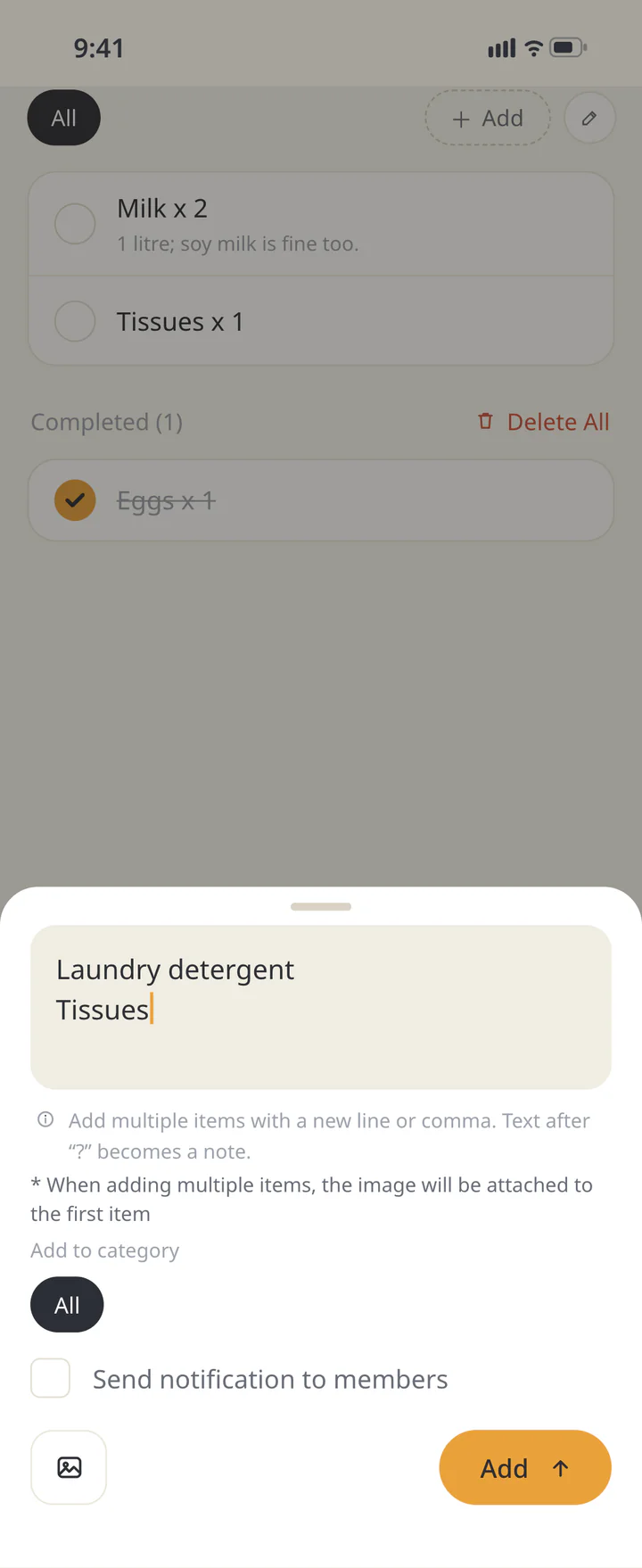 1Add an item
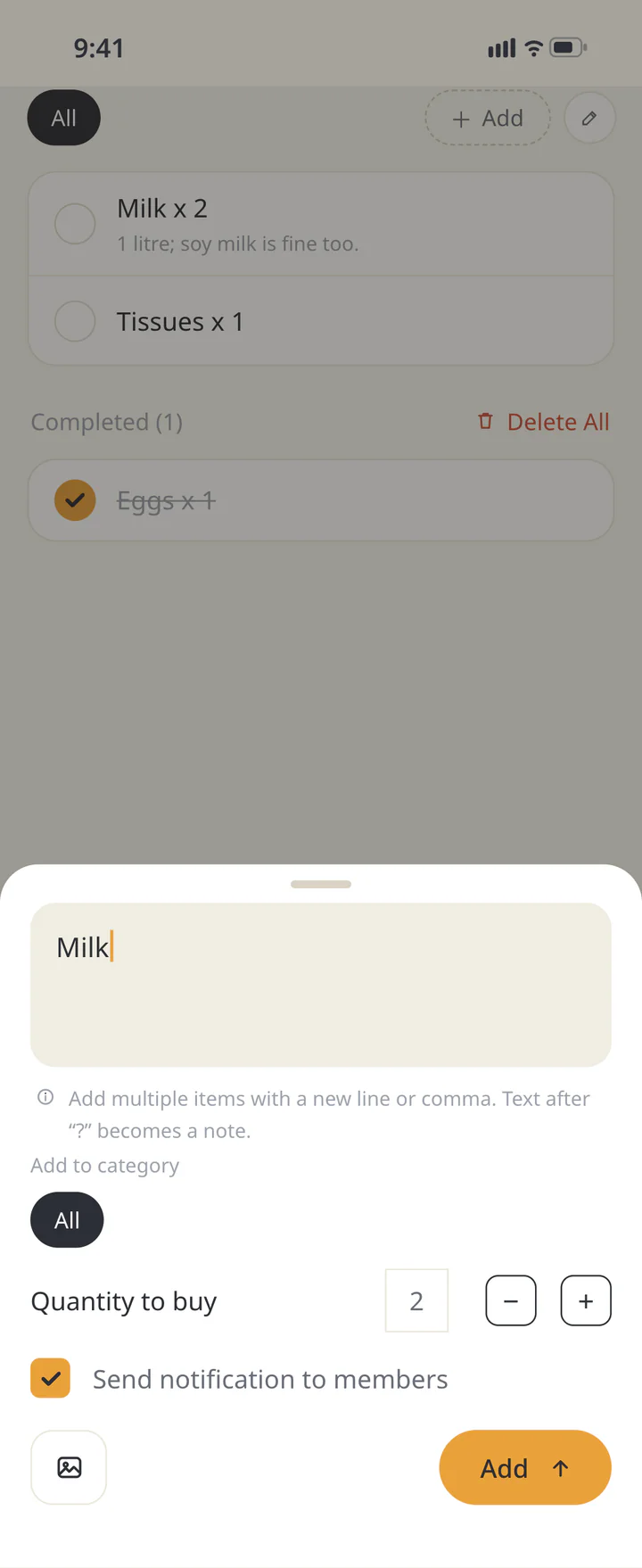 2Add quantity and notes
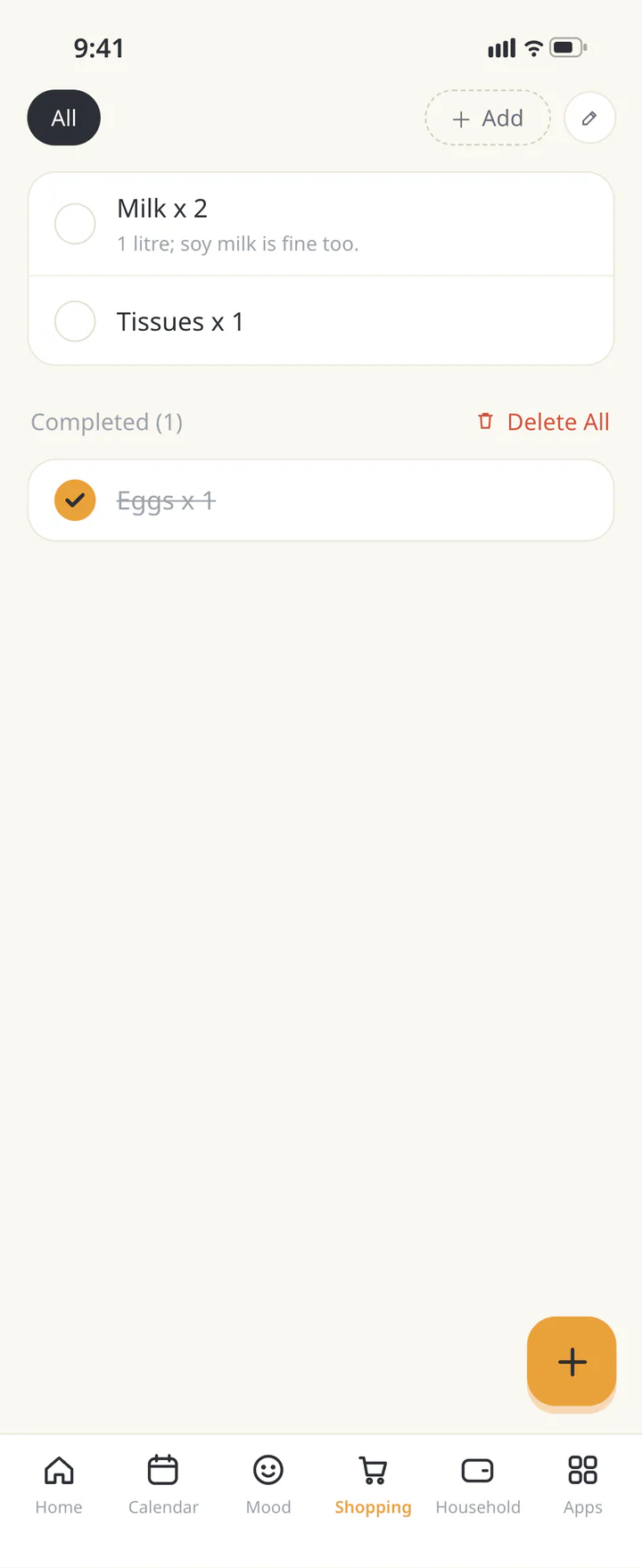 3Check off purchases and review before shopping


FAQ
Common questions
QCan we use the list for free?
The shared shopping list is free to start. Inventory and shopping categories are Premium extras.
QIs it shared when the notification is off?
Yes, it is added to the same Home’s list. Sending an alert is separate from adding the item.
QWill checking a purchase increase stock?
For a restock item added from Inventory, enable the update-on-check option. This does not create inventory records for every ordinary shopping item.
History: Published October 9, 2026 — checked against app 16.5.0