
SITUATION — Chores · To-dos
Make household duties clear
“Whoever notices it” can leave one person carrying the work. Start with a few regular chores and make the arrangement visible to both of you.
Start here
- 1.Name the job clearlyUse a name with a clear finish, such as “Wash dishes after dinner”. List preparation or restocking separately when it helps.
- 2.Agree frequency and assigneesSet the frequency and assignee, using rotation if you take turns. Discuss changes when someone cannot do their turn.
- 3.Record who actually did itSelect the person who actually completed it. Record swapped turns too, so the workload is easier to discuss.
HOW TO
Three steps in ienon
- 01
Add a recurring chore
Open “Chore”, tap +, and choose “Create Schedule”. Enter the job name. Use “Apps” if it is not in your tabs.
- 02
Set the schedule and turns
Set “Recurrence” and “Assignee”. Use “Rotation” for turns, then press the creation button at the bottom.
- 03
Mark it done with the right person
Tap the chore under “Tasks”, choose “Completed by”, and tap “Done!”.
SCREENS
See it in the app
These are app screens from version 16.3.0. The numbers match the 3 steps above.
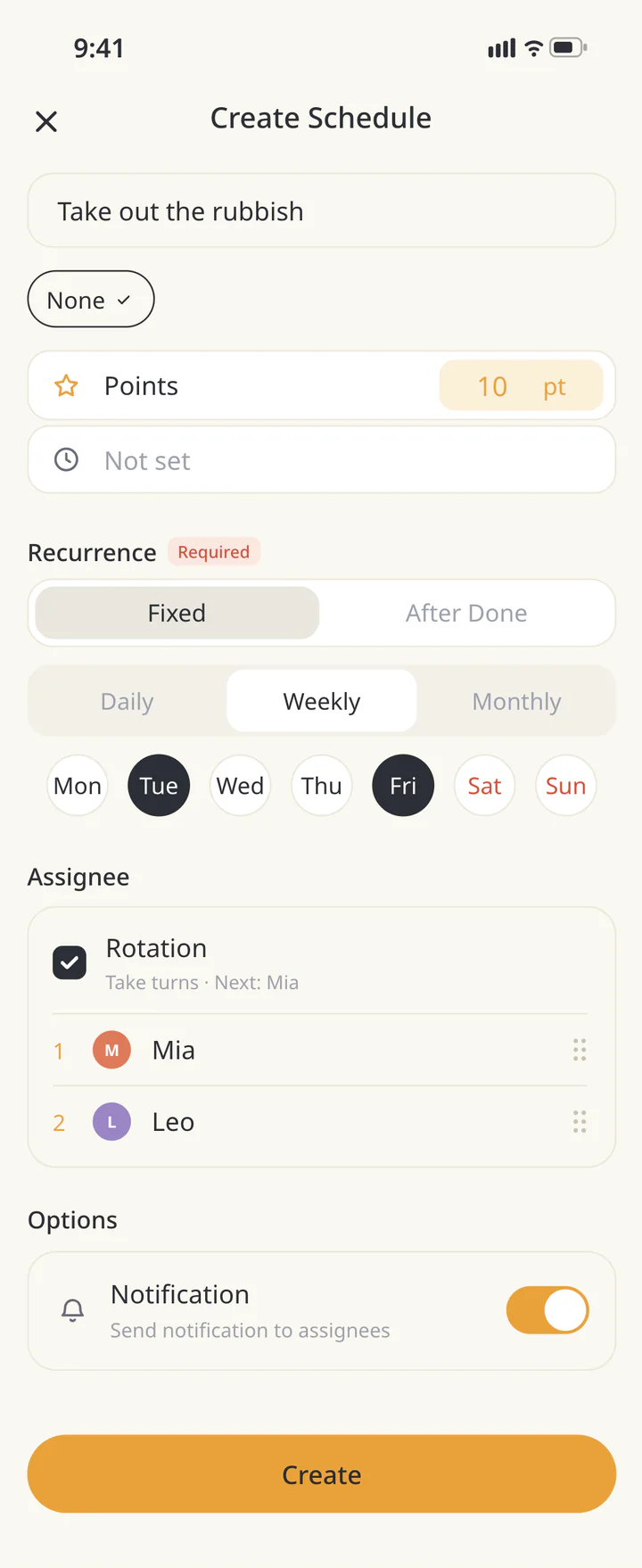 1Add a recurring chore
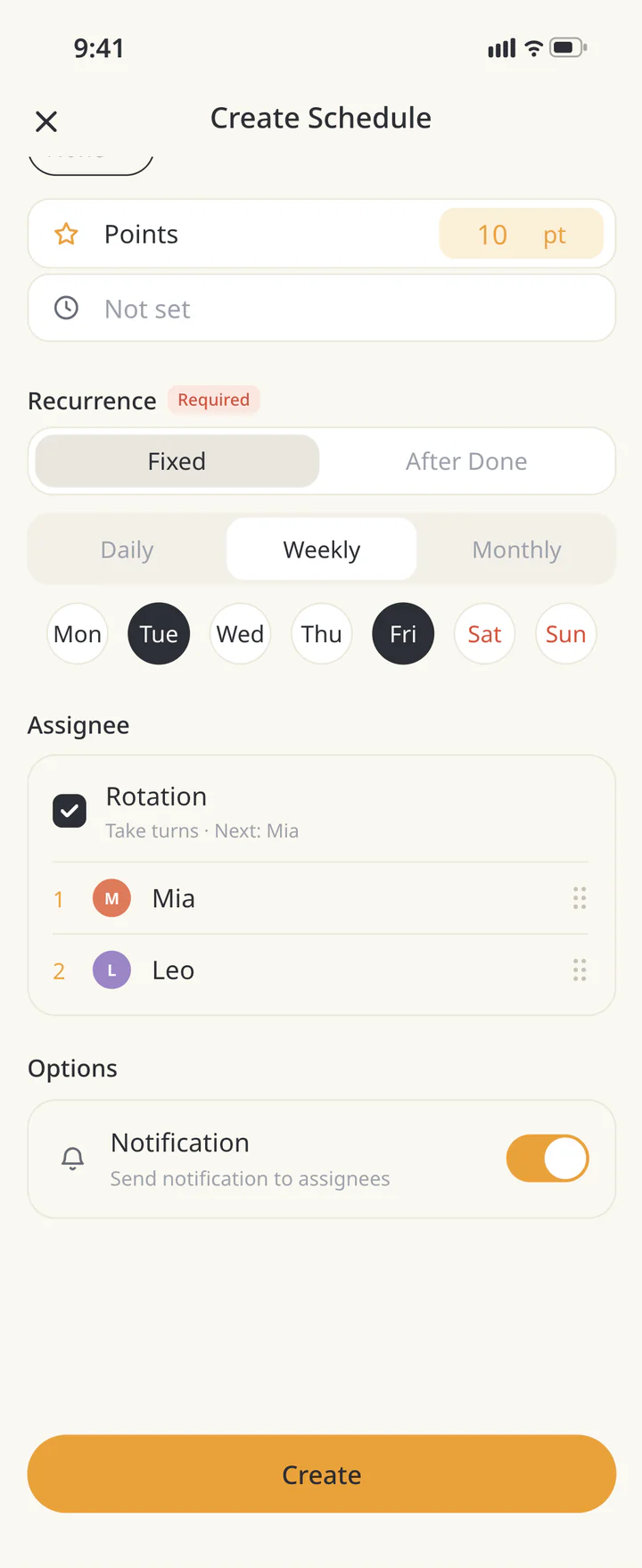 2Set the schedule and turns
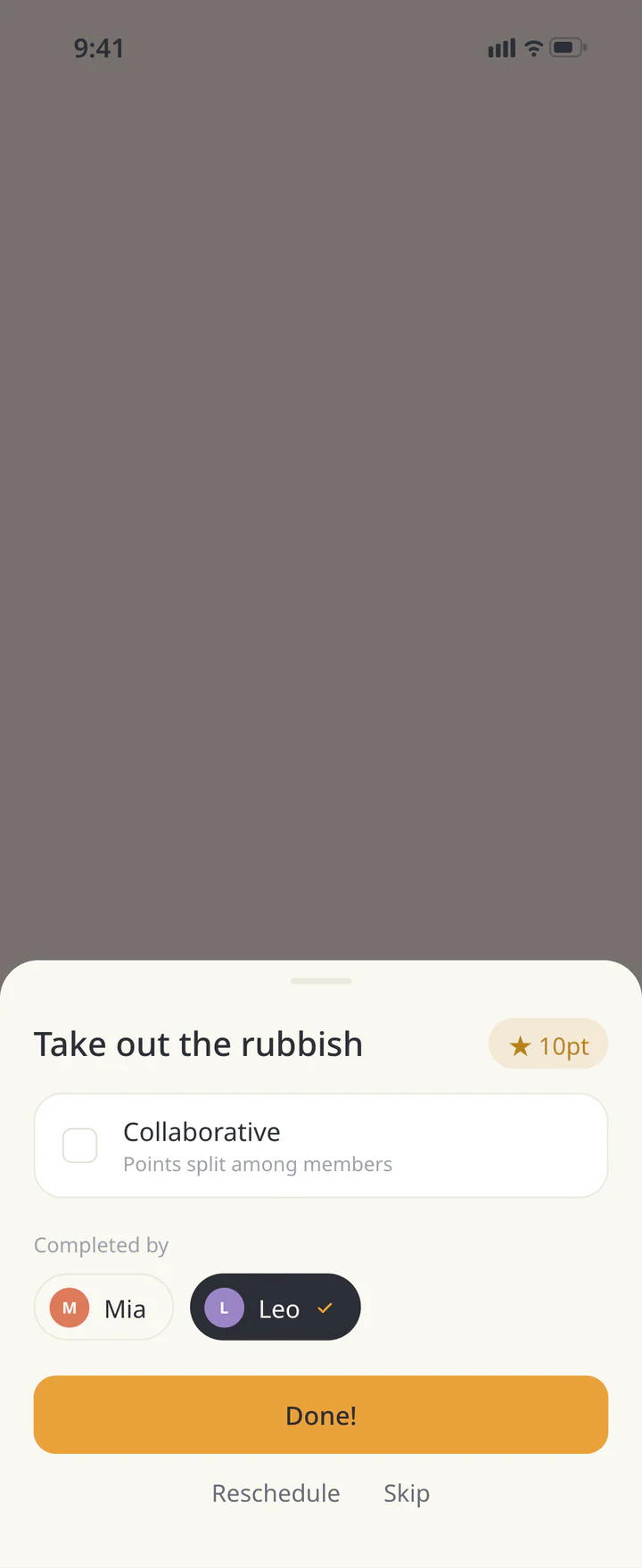 3Mark it done with the right person


FAQ
Common questions
QWhat about a one-off job?
A to-do works for a one-off job with a deadline. Use it alongside recurring chores without duplicating the same task.
QWhy are chore alerts missing?
Check the chore settings, the Chores switch in notification settings, and device permission. The notification guide also covers test alerts.
QWill the app make the division fair?
A visible record helps you talk, but a task name does not capture its effort. Review the arrangement together, including health and work demands.
History: Published October 9, 2026 — checked against app 16.5.0