

Weekly Meal Planner with Grocery List
Free, no sign-up. Spin a week of dinners, swap anything you don't want, and get one grocery list sorted by store section. Print it on a single page or send it to whoever's shopping.
Share the meal plan and grocery list in ienon
In ienon's “Meal Plan,” you can add dishes by date for Breakfast, Lunch, and Dinner. You don't need a recipe: “Register with memo” adds just the dish name. Your “Shopping” list shows the same items on everyone's phone. ienon is a shared app for families, couples, and roommates, with your calendar, chores, grocery list, and expense splitting in one place.
- Install ienon, create a Home (your shared space in ienon), and invite your partner
- In “Meal Plan,” pick a date and meal, then use “Register with memo” to add the dish name
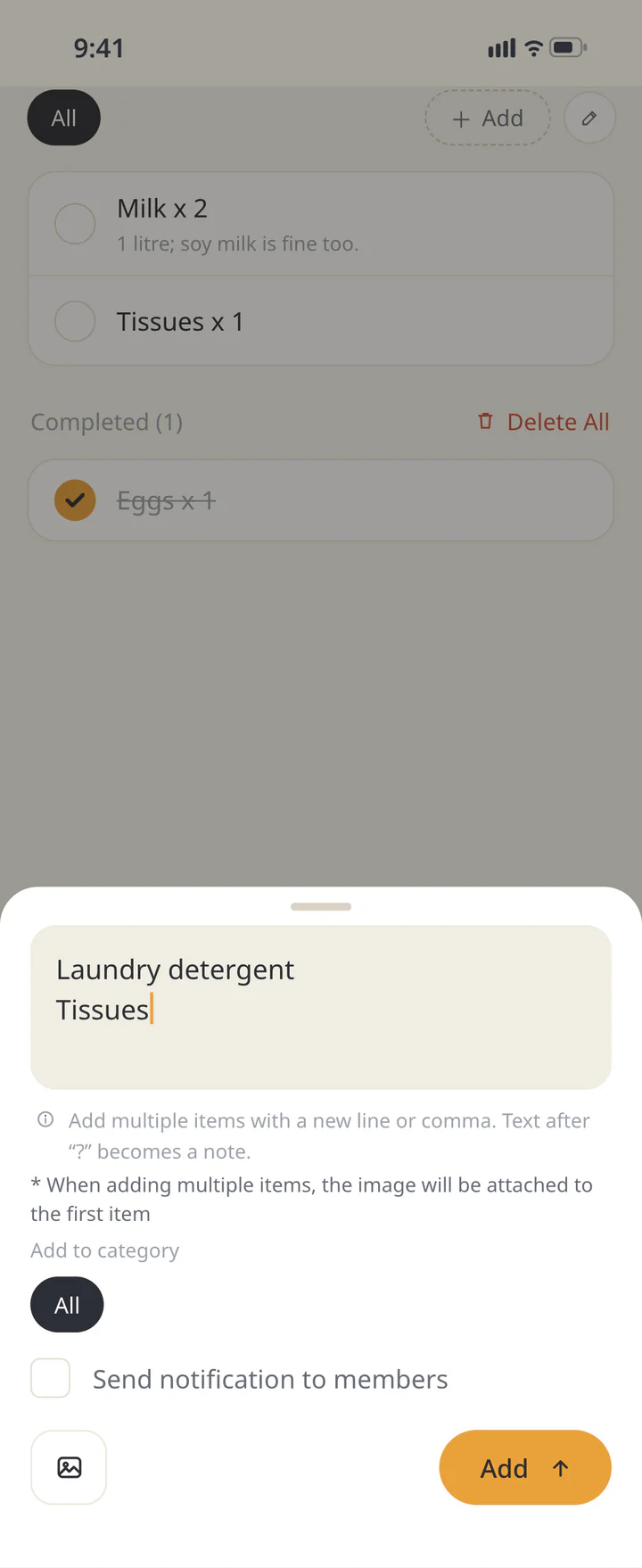
- Tap “Copy items only,” then in “Shopping,” tap + and paste. Each line becomes its own item.
- For dishes saved as recipes, “Add to shopping list” on the recipe adds its ingredients
ienon is free to start.
This page's meal plan and grocery list don't go into the app automatically.
How it works
- What's in the mix
- 119 dishes in all: 36 mains, 32 sides, 46 one-dish meals, and 5 night-off options. They're everyday dinners that are easy to make at home.
- Fewer repeats in a week
- A full week avoids repeating a dish when it can. If you leave out a lot of foods and the choices run short, a dish may show up twice. It also tries not to serve the same protein two nights in a row.
- Seasonal dishes
- Cold-weather dishes (pot roast, beef stew, chicken noodle soup) only come up October through March, and summer dishes (BBQ chicken drumsticks, grilled bratwurst, caprese salad) only June through September. In season, they come up more often.
- Nights without a side
- Most bowls, soups, pot pies, and stir-fries served with rice already make a full plate, so they don't get a side.
- Lock and swap
- Lock a dish you like, and it stays when you spin again. Or swap just the dishes you don't want.
- Cook and shopper
- With two of you, each day gets a cook and a shopper: Me, Partner, or Together. Tap to change them.
Printing your plan
- After you spin, choose Letter or A4, then tap “Print plan and grocery list.” You get one page with the dinners at the top and the grocery list by store section below.
- Each item has a checkbox, and there are blank lines for anything else you need. With two of you, write your names next to “Me” and “Partner” at the top.
- It's made to read clearly in black and white. Most browsers also let you save it as a PDF from the print window.
About ingredients and foods you leave out
- Each dish lists 3 to 7 ingredients commonly used to make it. Amounts aren't included, since they depend on your recipe and how many people you're feeding.
- Pantry basics aren't listed: salt, pepper, oil, butter, flour, sugar, dried spices, and condiments. Ingredients specific to a dish, like barbecue sauce, taco shells, or broth, are.
- “Leave out foods” only skips dishes that list that food as an ingredient on this page. Sauces, dressings, broth, seasonings, and what's inside packaged foods aren't fully checked. If anyone has a food allergy, check the labels and your own recipes.
Making a shopping list for these meals?Grocery List Template →
Questions
- Is it free? Do I need an account?
- It's free, and there's no sign-up or email. Open the page and start planning.
- Can I add my own recipes?
- Not on this page. It picks from the 119 dishes listed above. To keep your own dishes, add them in the ienon app with “Register with memo.”
- Does it say how much to buy?
- No. Amounts depend on your recipes and how many people you're cooking for, so the list shows what to buy, not how much.
- Does it work for one person or a family?
- Yes. Choose “Just me” to hide the cook and shopper fields. The dishes don't change with household size, so adjust amounts when you shop.
- Can I use it to plan around food allergies?
- It isn't made for allergies. “Leave out foods” only checks the ingredient names on this page. Sauces, broth, and packaged foods aren't fully checked. Always check the labels.
- How do I share the plan with my partner?
- Tap “Send to your partner” to share a link. They'll see the same plan, with “Me” and “Partner” switched. Nothing is stored on our servers.
- Will my plan still be here if I close the page?
- It stays while the tab is open. To keep it, print it, copy the list, or save the link.
Your data
- Your meal plan, the foods you leave out, and who cooks and shops aren't saved on our servers. They stay in the link and on this device only.
- The link holds only the dates, dish and ingredient numbers, who cooks and shops, and your choices (including foods you left out). No names.
- Anyone with the link can see the plan. Send it only to the person you're planning with.