
SITUATION — Mood
Share a mood and a few words on busy days
On a day with different hours or little energy to talk, leave a small sign of how you are doing instead of a long update.
Start here
- 1.A face can be enoughChoose a mood without a long entry. Add diary text on the days you have something to say.
- 2.Keep diary text private when you wantThe diary text can be private, but the mood face is still shared. Check what you are sharing.
- 3.Leave a comment without demanding an explanationTry “That sounds tiring” or “Let’s take it easy today”. Let it open a conversation without assuming the reason.
HOW TO
Three steps in ienon
- 01
Choose today’s mood
Select the day in “Mood”, tap +, and choose the face that fits.
- 02
Add a few words and choose privacy
Use “Write a diary” for a short note. Enable “Make diary content private” to keep the text to yourself, then tap “Complete”.
- 03
Leave a comment on a family member’s entry
Open the family member’s record, write in the comment field, and tap the send icon. Give them room to reply in their own time.
SCREENS
See it in the app
These are app screens from version 16.3.0. The numbers match the 3 steps above.
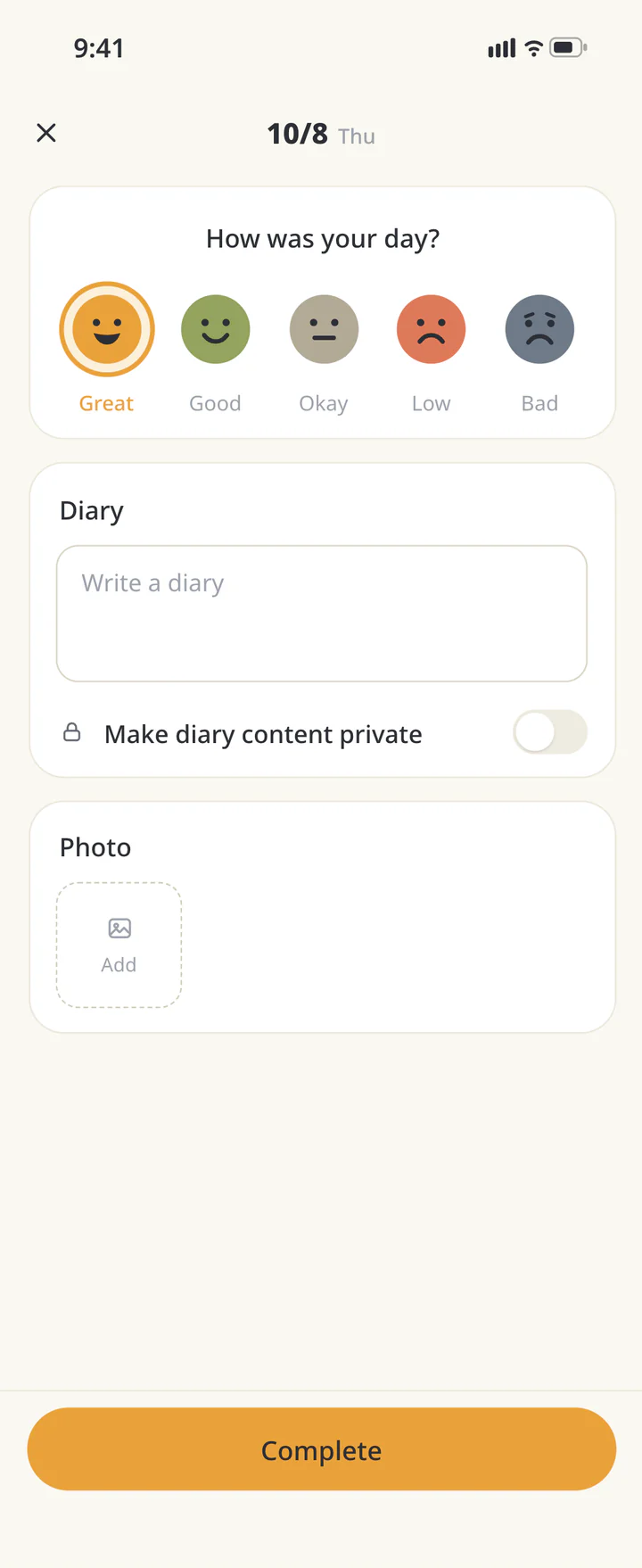 1Choose today’s mood
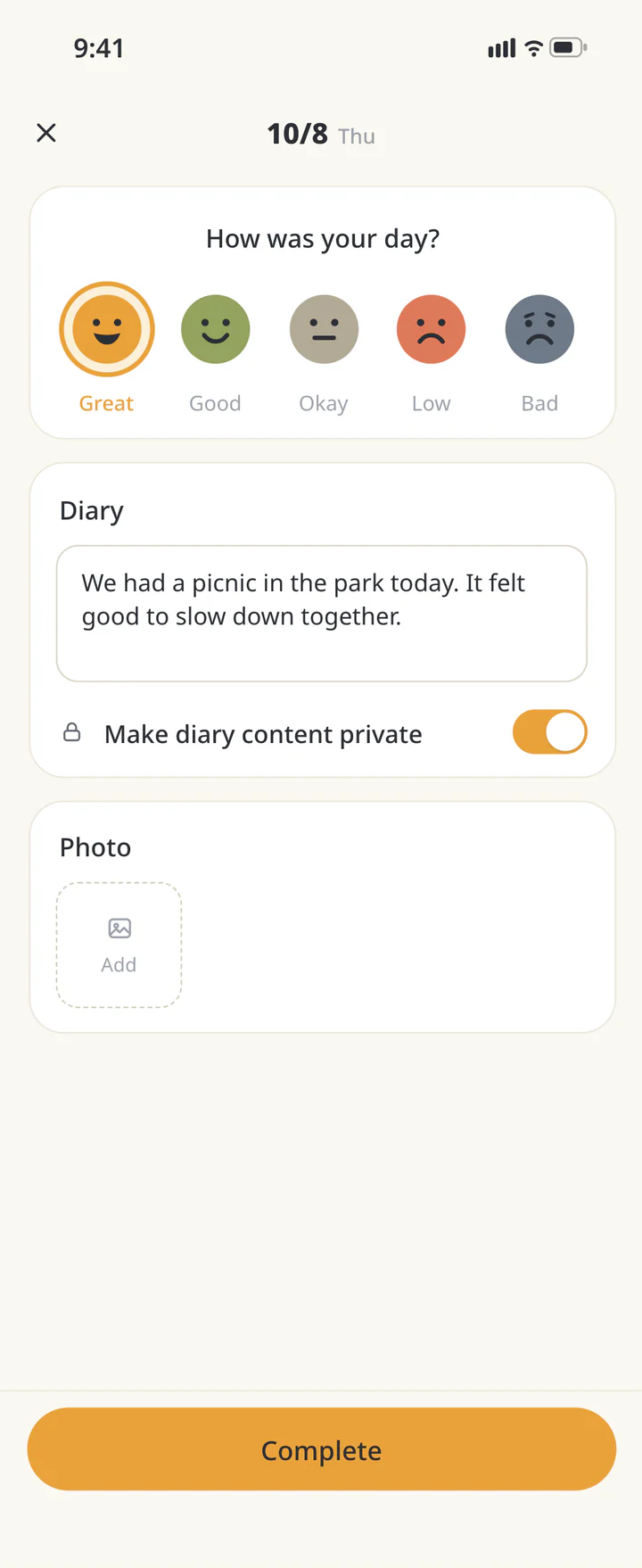 2Add a few words and choose privacy
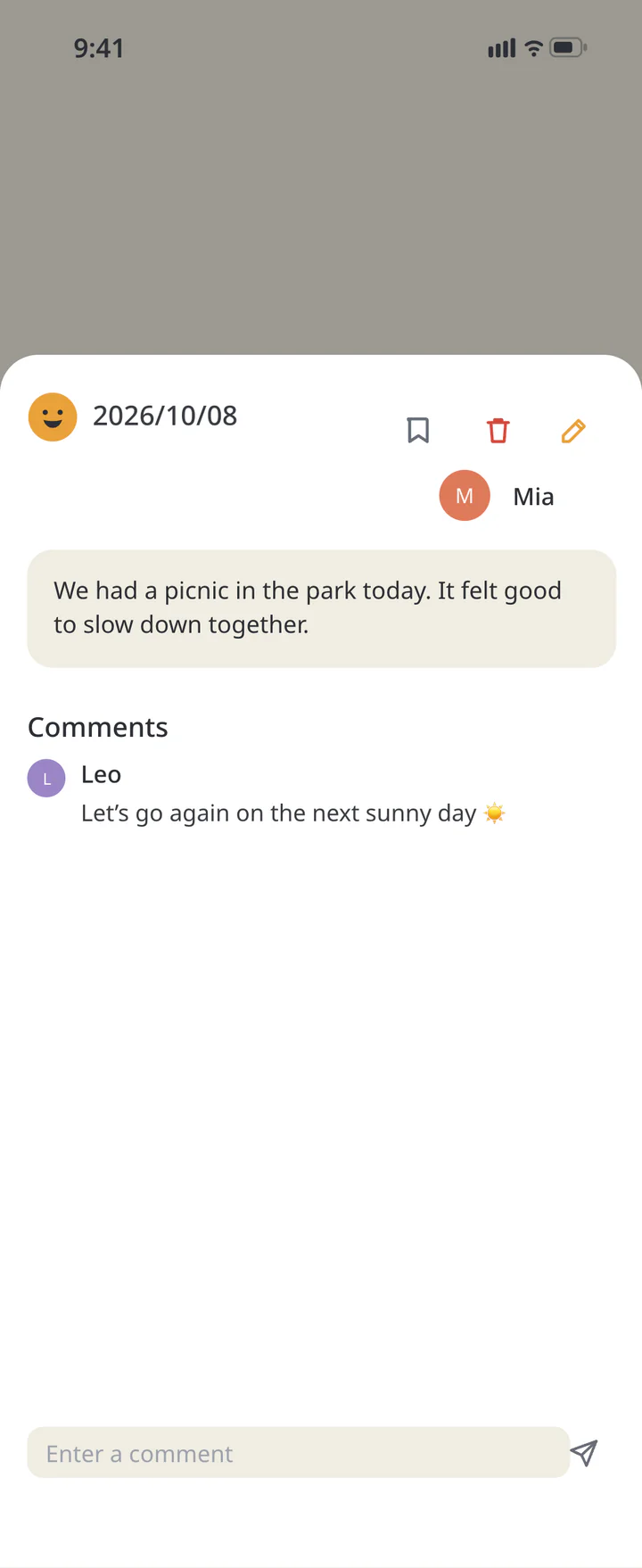 3Leave a comment on a family member’s entry


FAQ
Common questions
QDoes a private diary hide my mood too?
Only the diary text is private. The mood is shared, so take that into account when recording.
QDoes viewing an entry count as a response?
Viewing is not the same as replying. Leave a comment when you want to say something.
QDo I need to keep a daily streak?
Use it on the days it helps. Talk about how to respond to an entry rather than focusing on a count.
History: Published October 9, 2026 — checked against app 16.5.0