
SITUATION — Calendar · To-dos
Keep children’s plans and packing lists together
Move an upcoming event out of one person’s memory and into a place the family can check. Start with a single school occasion.
Start here
- 1.Separate the event from its preparationPut the event in the calendar and preparation in a to-do. Set a preparation deadline before the event so there is time to check.
- 2.Assign pickup and preparation separatelyPickup and packing can have different assignees. Set the person on each event or task and make the request specific.
- 3.Check the real items tooCheck items off when they are ready. Recheck the original school notice for weather-dependent items or later changes.
HOW TO
Three steps in ienon
- 01
Add the event and pickup assignee
Use + in the calendar to enter the event title, start and end times, and assignees. Save it as a shared event.
- 02
Create a packing to-do with a deadline
Tap + in to-dos, add the preparation task, assignee, and due date. Use sub-tasks for several items, then tap “Add”.
- 03
Check off completed preparation
Check off prepared items and revisit the shared event. Use Messages to leave a note about changes such as a different pickup person.
SCREENS
See it in the app
These are app screens from version 16.3.0. The numbers match the 3 steps above.
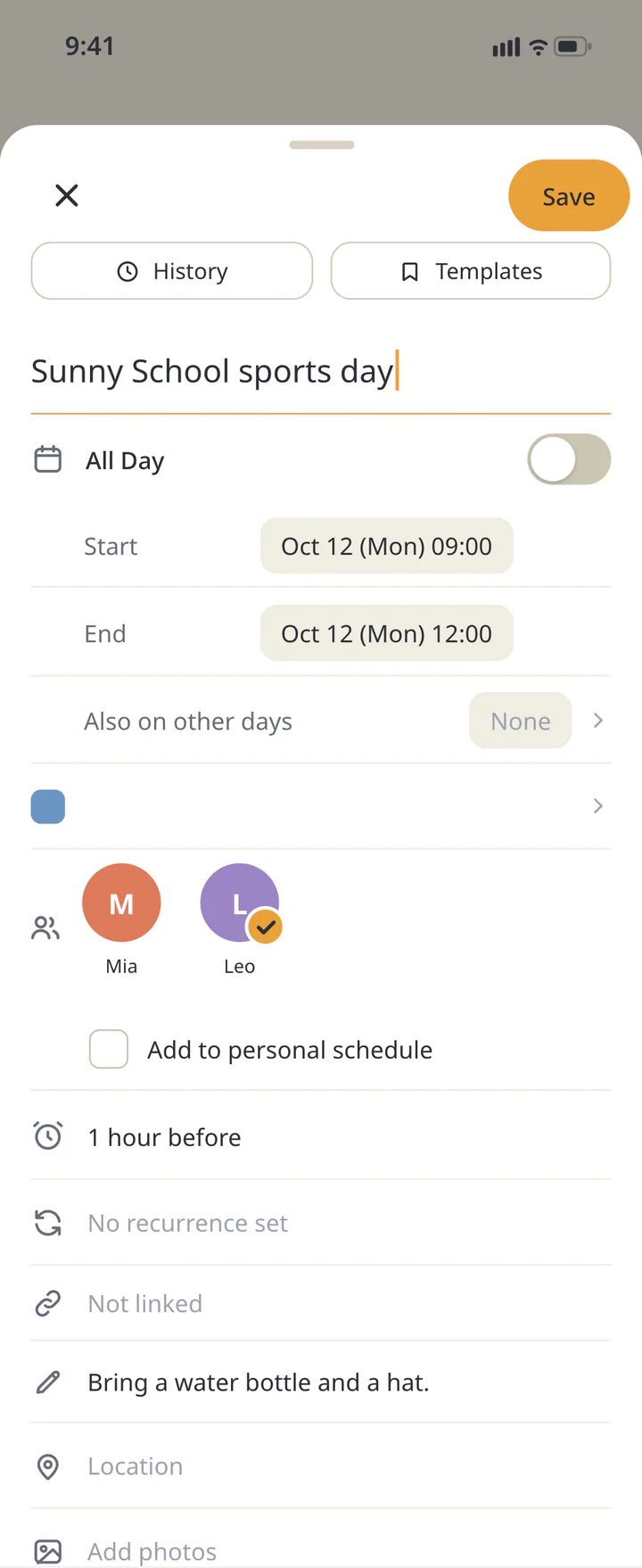 1Add the event and pickup assignee
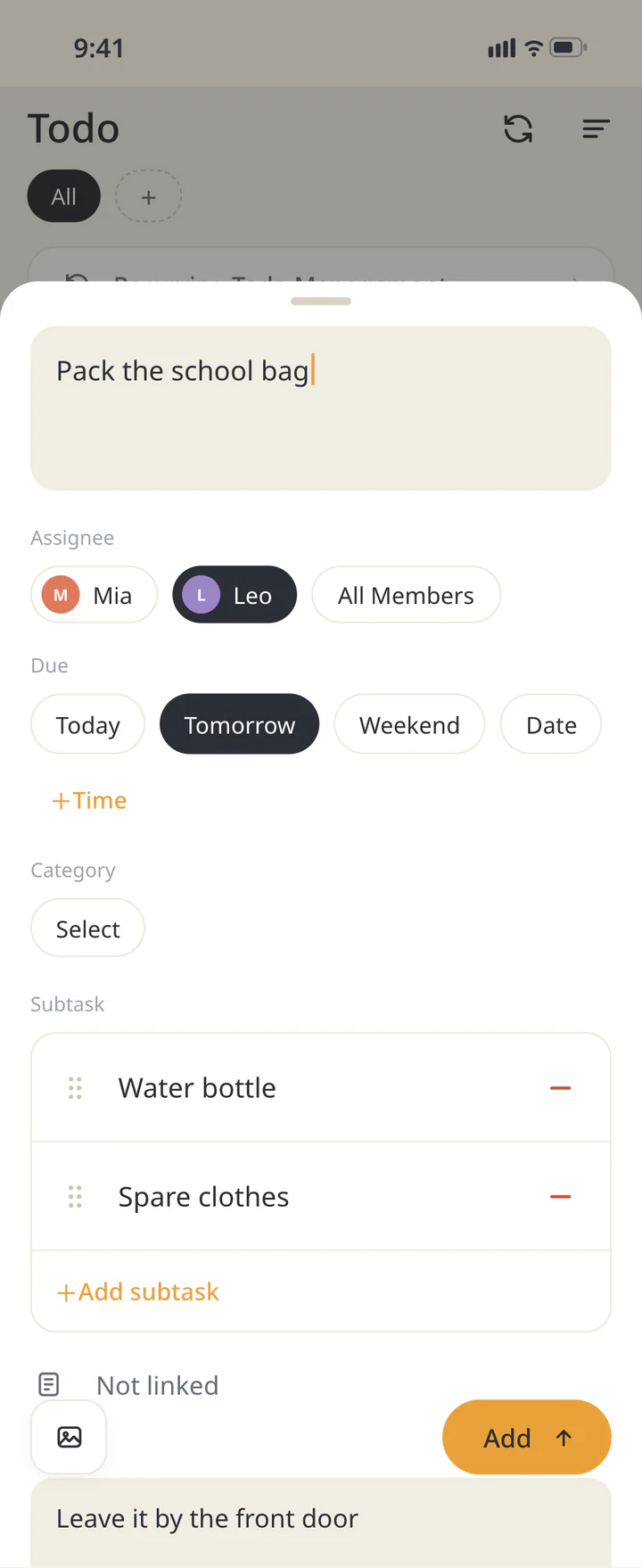 2Create a packing to-do with a deadline
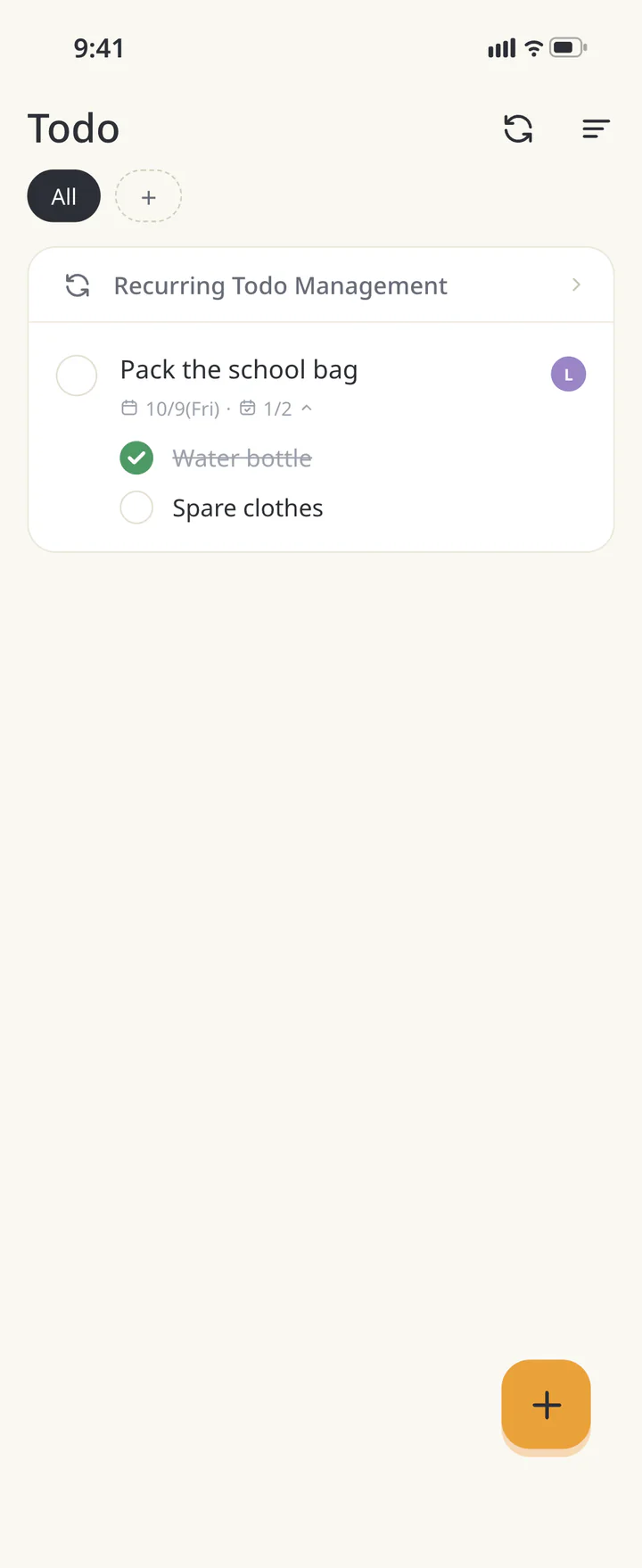 3Check off completed preparation


FAQ
Common questions
QDoes my child need to use the app?
This example is for parents or carers sharing pickup and preparation in one Home. Start by sharing among the people doing the preparation.
QCan I add a weekly class?
Events have repeat settings. Check the original notice for holidays or cancelled classes and review changed dates.
QWill a due date prevent forgotten items?
A due date is a prompt to check. Agree a review time and check any notification settings and device permissions. Verify the actual items too.
QAre school notices imported automatically?
In this workflow, the person reading the notice enters the event and preparation. Keep the notice handy to check dates and items.
Download ienon
Make the next school event easy for your family to check.
History: Published October 9, 2026 — checked against app 16.5.0