
SITUATION — Calendar
Keep your plans in one shared calendar
Give recurring questions like “When are you home?” or “Who’s doing pickup?” a shared place to find the answer.
Start here
- 1.Join the same Home firstOne person sends an invitation and the other joins. Two Homes with the same name do not share events.
- 2.Include times and assigneesAdd start and end times plus assignees, so you can see both availability and responsibility. Check the end date for overnight shifts.
- 3.Share only what helpsKeep personal events separate. Choose a routine that fits you, such as checking next week’s plans together at the weekend.
HOW TO
Three steps in ienon
- 01
Bring both people into one Home
Send a link through “Invite” in the Home menu and have your partner join.
- 02
Add an event with times and assignees
Tap + in “Calendar”, enter the event title, times, and assignees, leave “Add to personal schedule” unchecked, and tap “Save”.
- 03
Review the same week
Open the calendar on both devices to check sharing. Revisit changed plans and use Messages when something needs discussion.
SCREENS
See it in the app
These are app screens from version 16.3.0. The numbers match the 3 steps above.
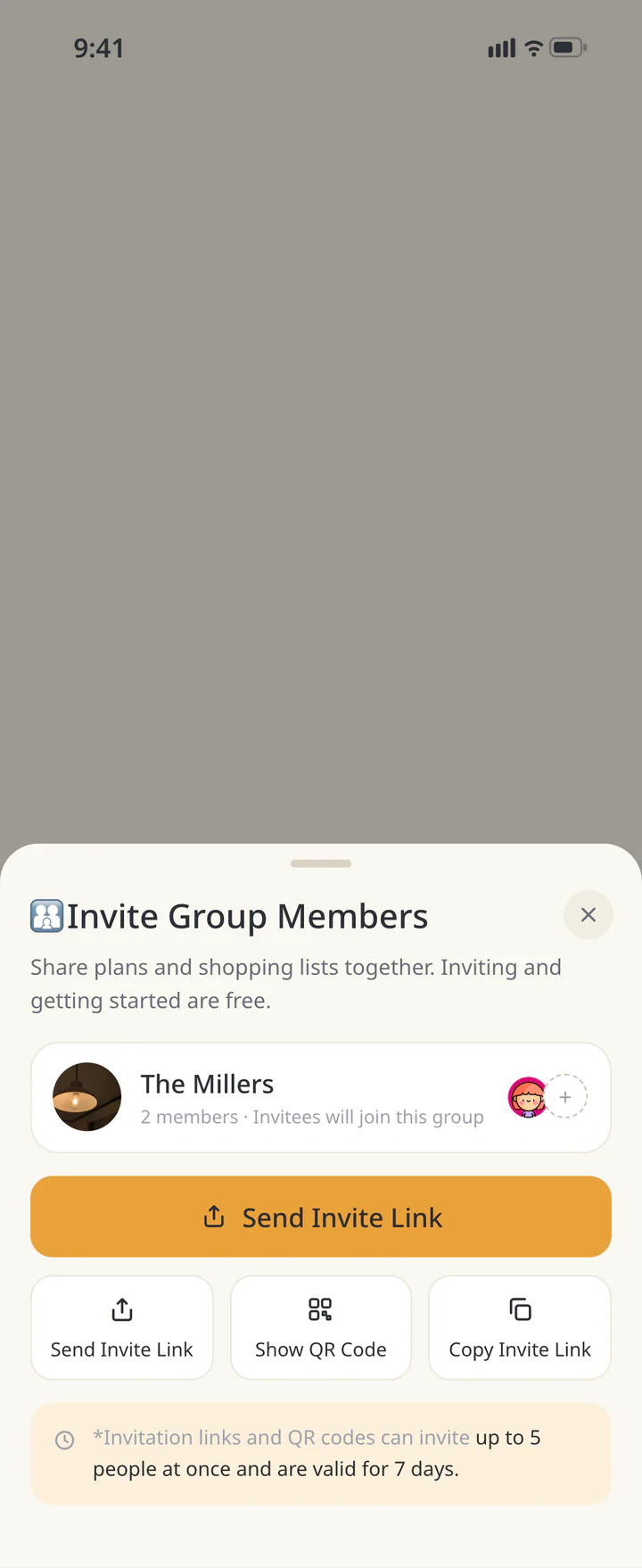 1Bring both people into one Home
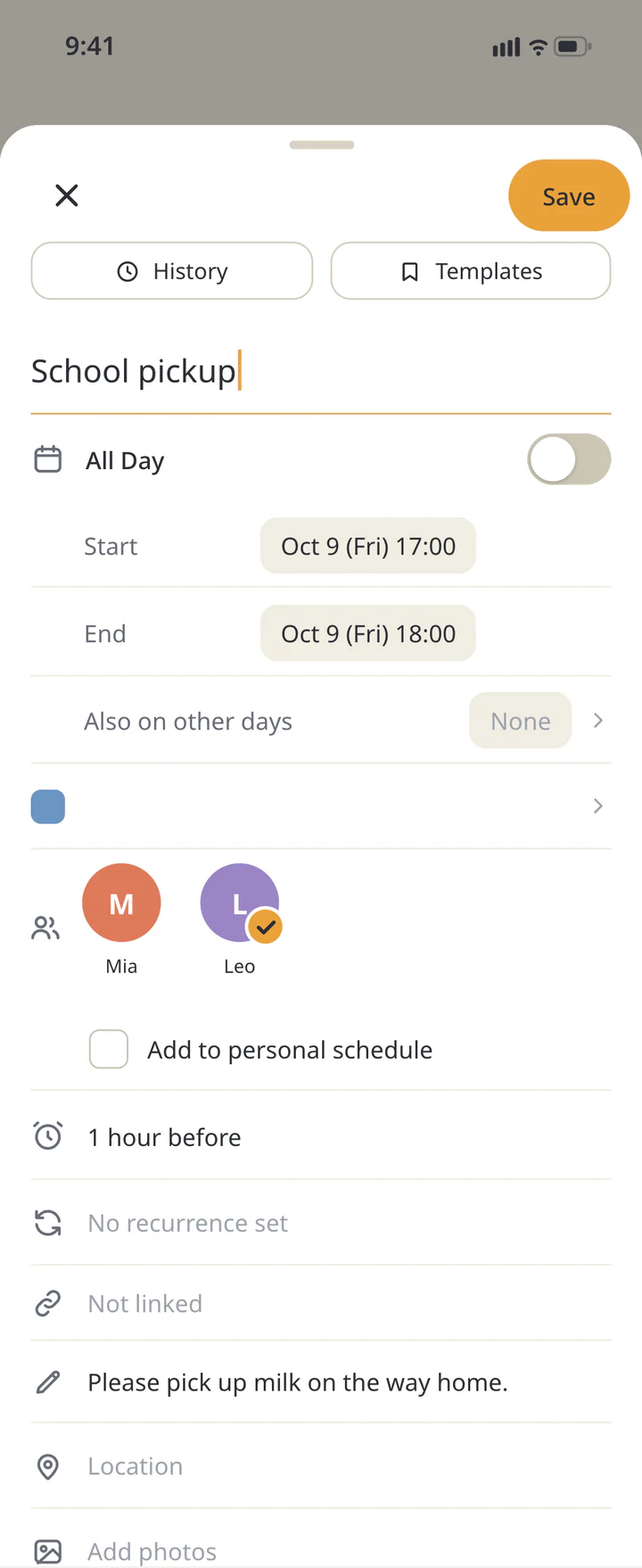 2Add an event with times and assignees
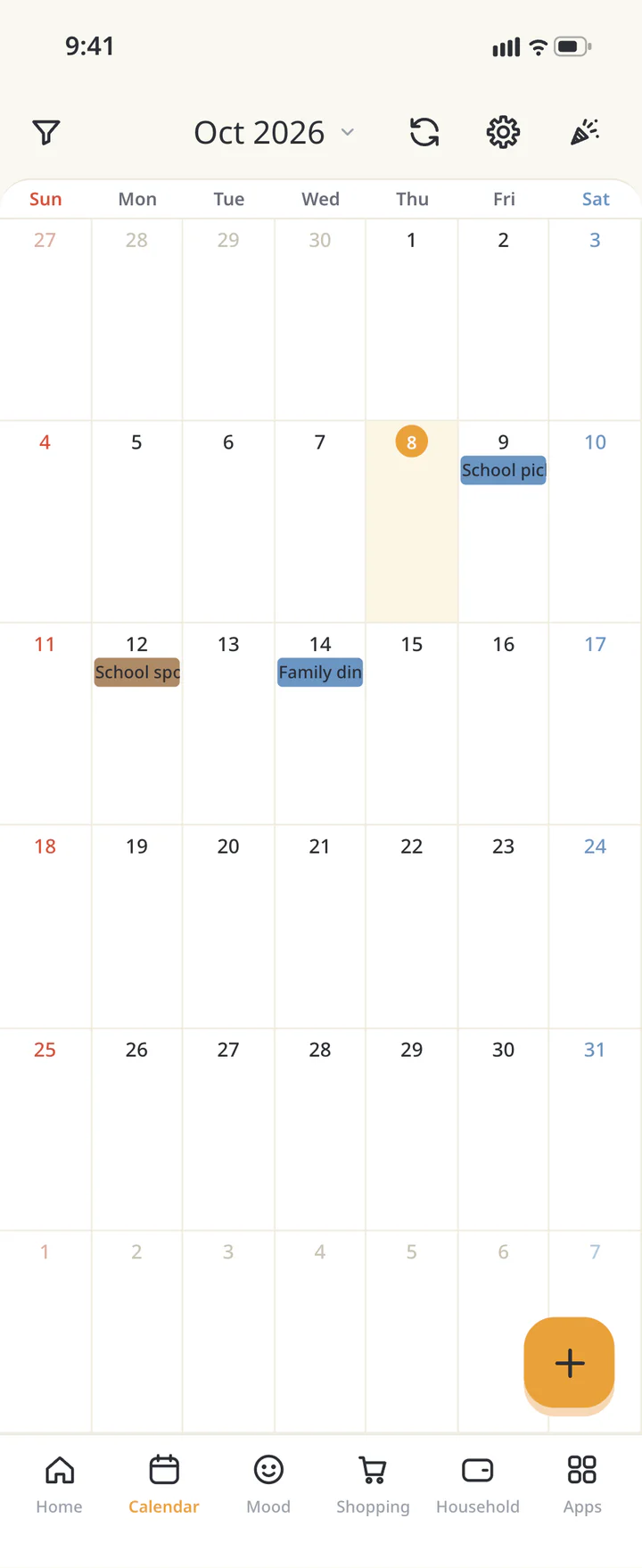 3Review the same week


FAQ
Common questions
QDo I have to share every event?
Share only the events you need to. Check “Add to personal schedule” for a personal event.
QCan people other than the assignee see it?
Home members can see shared events. Assignees and visibility are separate settings.
QCan I include my work calendar?
There is an import flow for device calendars, with personal, shared, and no-share choices for each calendar. See the calendar guide for the full steps.
History: Published November 13, 2026 — checked against app 16.5.0