
SITUATION — Calendar
Share shifts and plan around them
Sharing when a shift starts and ends helps the family discuss pickups, meals, and time to rest.
Start here
- 1.Check the end date for night shiftsFor an overnight shift, check whether the end falls on the next day. Add a separate rest period if it helps the family plan.
- 2.Check exceptions to a repeating patternUse repeat settings for a fixed weekly shift. For changing rotas, enter dates against the actual schedule.
- 3.Share only the useful work detailsEnter only the working hours your family needs. Calendar imports also let you choose visibility separately for each calendar.
HOW TO
Three steps in ienon
- 01
Enter the shift and assignee
Tap + in the calendar, enter the shift and its times, and choose the assignee. Compare start and end dates for overnight work.
- 02
Save it as a shared event
Leave “Add to personal schedule” unchecked and tap “Save”. For an existing device work calendar, open “Import other calendars” in settings.
- 03
Review it alongside the family’s week
View work and family events for the same period. Discuss reassignment when pickup or chores overlap a shift.
SCREENS
See it in the app
These are app screens from version 16.3.0. The numbers match the 3 steps above.
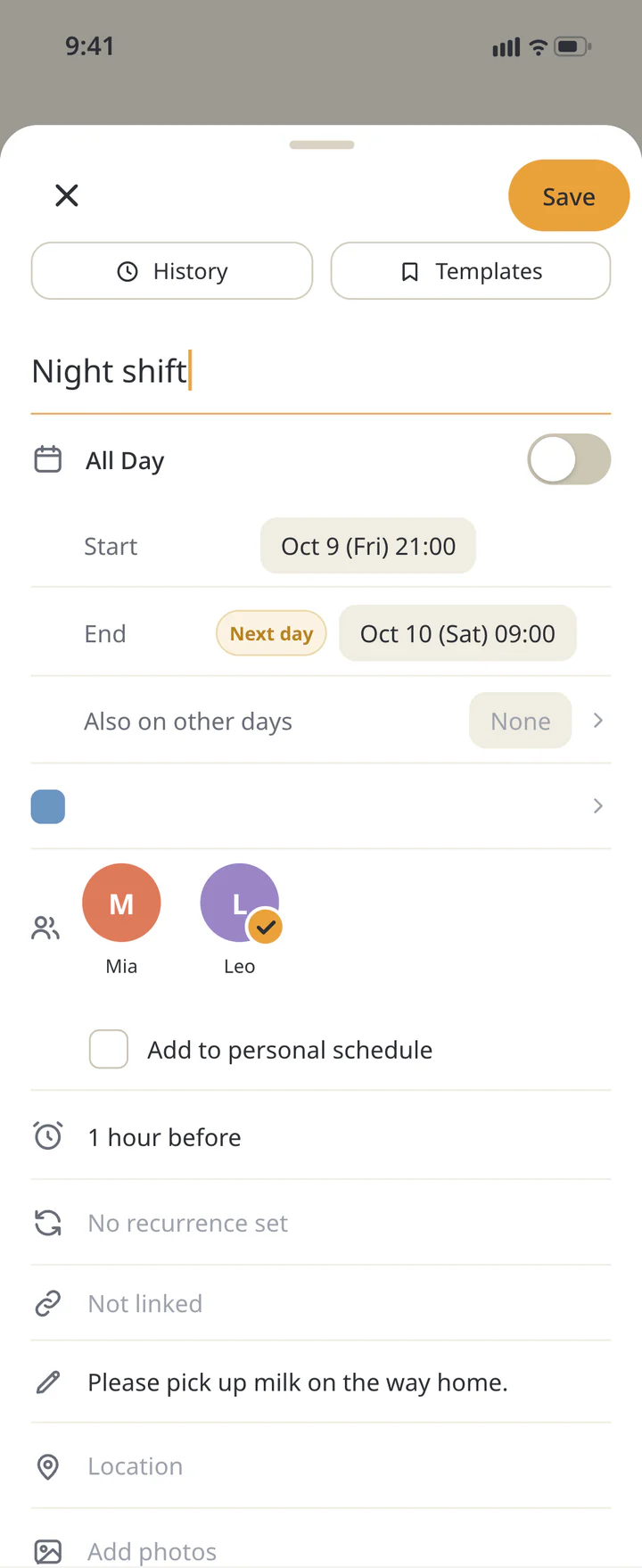 1Enter the shift and assignee
- 2Save it as a shared event
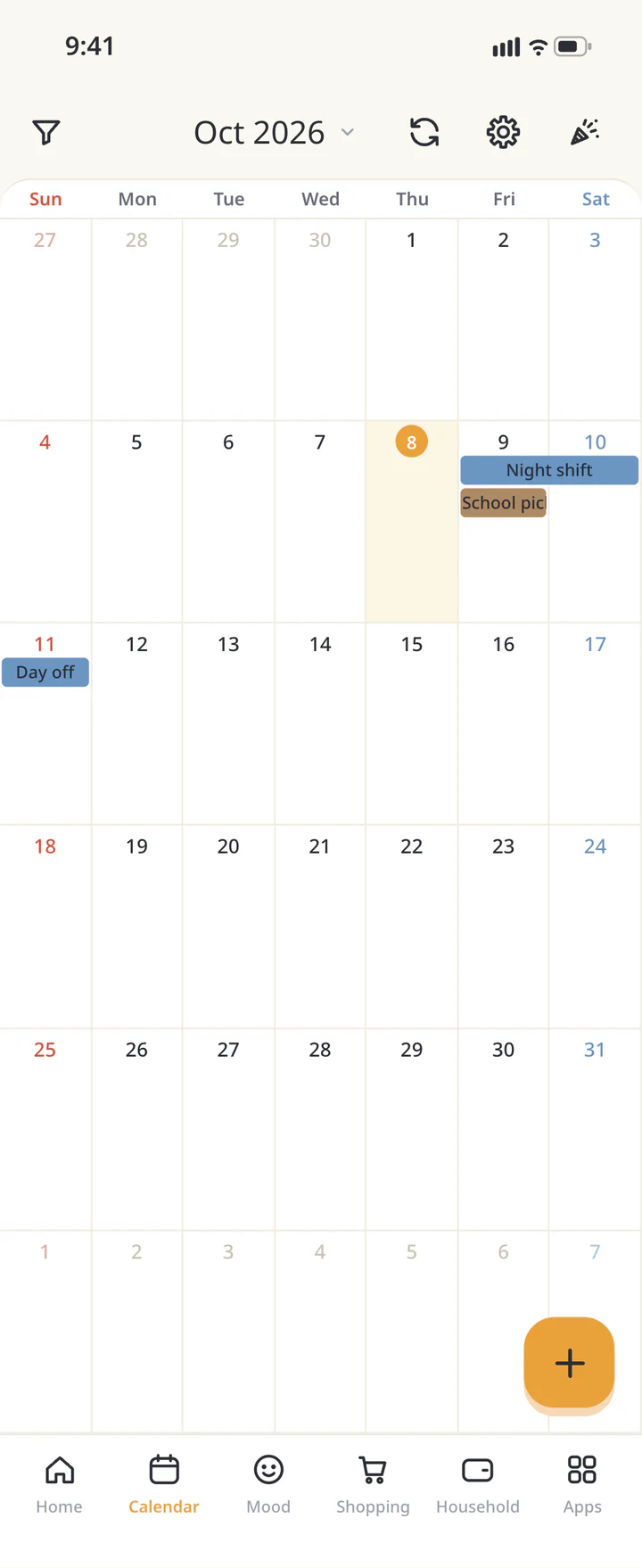 3Review it alongside the family’s week


FAQ
Common questions
QCan a rota photo automatically become events?
This workflow uses the confirmed rota to enter dates and times manually. Check those details rather than assuming a photo creates events automatically.
QWhat if I don’t want to share every work event?
Manual entry lets you share only selected shifts. Import visibility is set per calendar, so enter selected events manually when you do not want to share the whole calendar.
QCan a fixed shift repeat weekly?
Yes, events have repeat settings. Use them for confirmed fixed days and check the actual rota for time off or changes.
History: Published October 9, 2026 — checked against app 16.5.0