
SITUATION — Anniversaries
Keep birthdays and anniversaries close
A date can start a conversation about how to celebrate this year. Keep the occasion’s original date separate from the preparations.
Start here
- 1.Check the original dateEnter the original birthday or wedding date to revisit how much time has passed. Use a name your family recognises.
- 2.Choose where to see it and when to be remindedSave the anniversary, then choose calendar events if you want it there too. You can select yearly occasions and reminders.
- 3.Put preparation in a separate to-doCreate to-dos for bookings or purchases with deadlines before the date. Agree who handles them before the last minute.
HOW TO
Three steps in ienon
- 01
Save the name and original date
Tap + in “Anniversaries”, enter the name and date, and tap “Save”.
- 02
Choose calendar events and reminders if needed
While entering an occasion you want in the calendar, turn on “Add anniversary to calendar”, choose yearly events and reminders, then save.
- 03
Review upcoming dates and share the preparation
Choose “Soonest first” under “Sort by”. Add preparation to to-dos with an assignee and deadline.
SCREENS
See it in the app
These are app screens from version 16.3.0. The numbers match the 3 steps above.
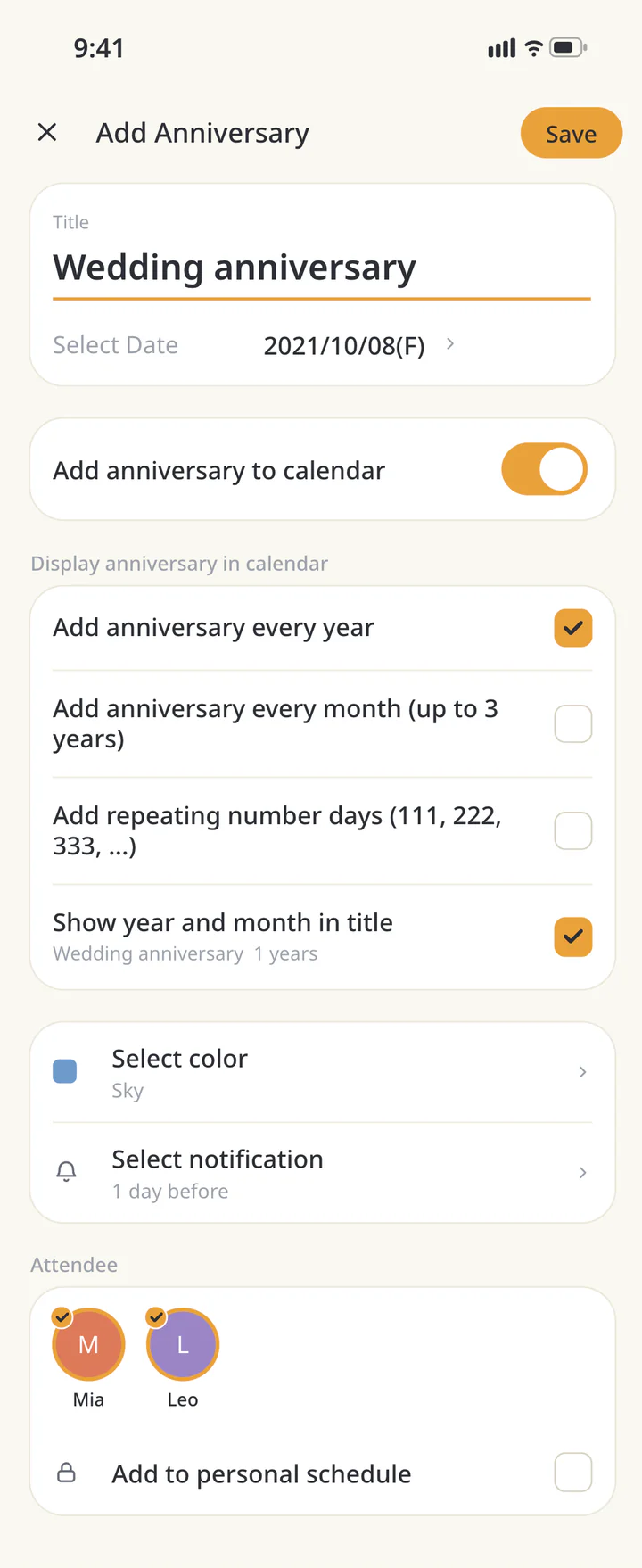 1Save the name and original date
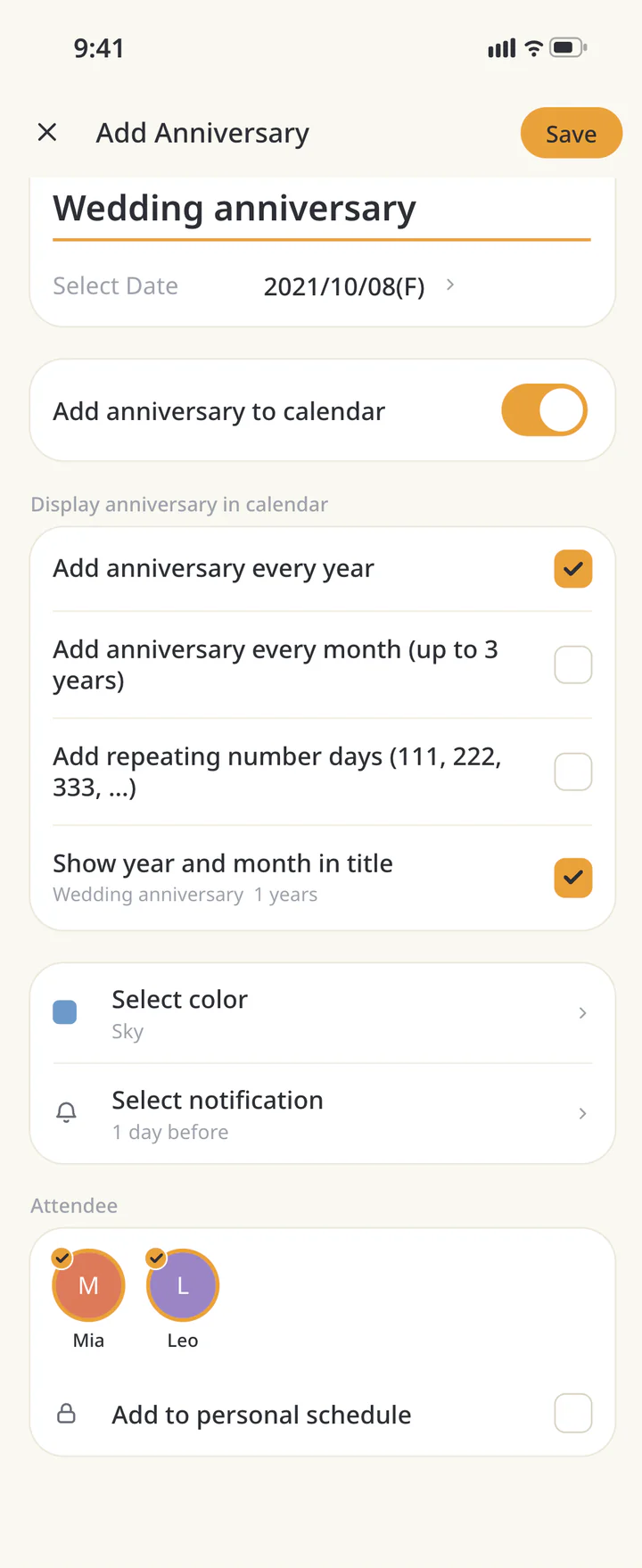 2Choose calendar events and reminders if needed
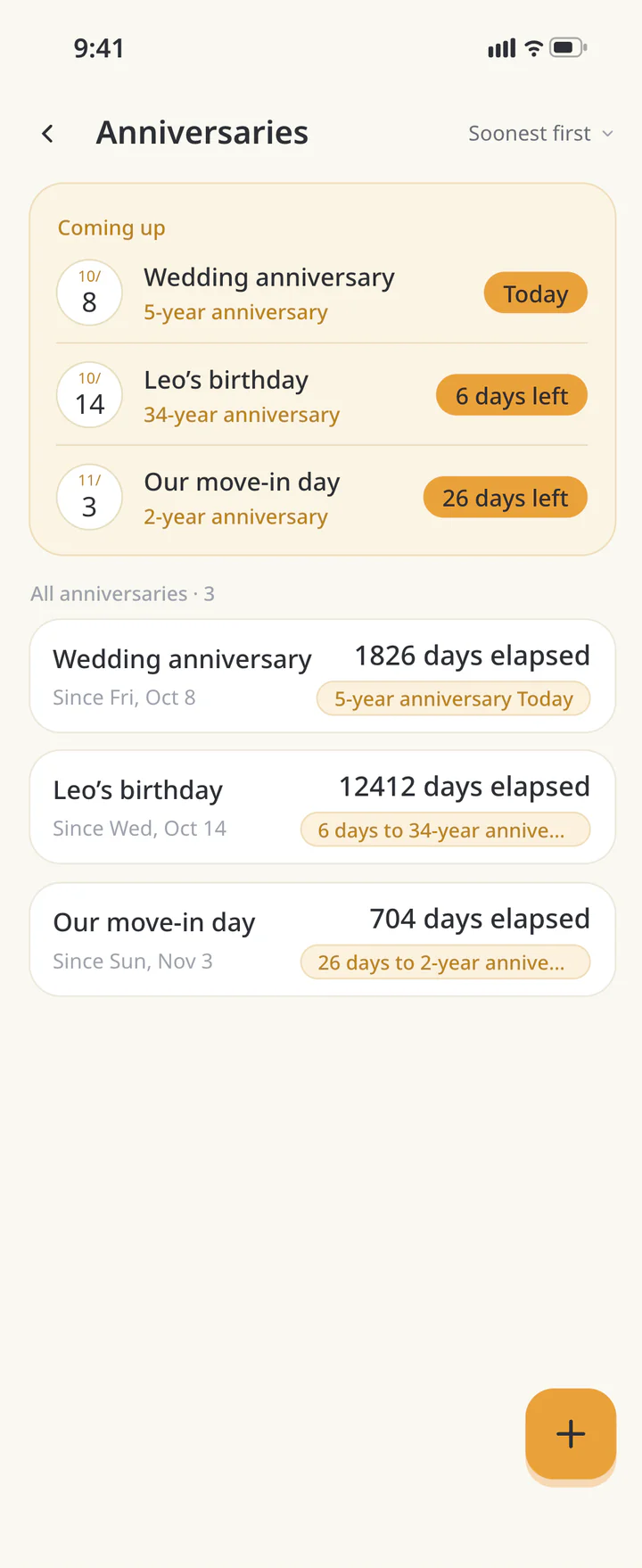 3Review upcoming dates and share the preparation


FAQ
Common questions
QCan I add yearly calendar events?
With calendar addition enabled, choose “Add anniversary every year”. For reminders, also check the notification option and device permission.
QCan I put important occasions first?
Mark the occasion with the star, then choose Favourites first. The list order is saved on your device.
QCan I use this for birthdays?
Save a name and date in the same way. Use a separate to-do for celebration preparation and choose reminders if needed.
History: Published October 9, 2026 — checked against app 16.5.0