House Cleaning Checklist

A free tool from ienon, the shared app for families, couples, and roommates

Check off jobs on the weekly cleaning checklist, and use the daily, monthly, and seasonal sections to plan the rest. Choose who does each job, then send your family a link or print the list.

  • Checklist
  • 25 tasks
  • A list from ienon (Dear Inc.)
  • Free, no sign-up

Use these groups as a starting point. Move tasks sooner or leave them longer depending on how your home is used.

Done 0 / 25

Tasks with someone assigned 0 / 25

Paper

Every day

  • Kitchen: wipe work surfaces and clean up splashes around the cooker or stove

  • Kitchen: wash dishes and wipe the sink

  • Dining area: wipe the table and sweep up crumbs

  • Living room: put away things left on the floor and furniture

  • Bathroom: hang damp towels and wipe water from around the sink

  • Kitchen: empty the rubbish or trash bin when it fills up

Every week

  • Bathroom: clean the toilet, sink, and bath or shower

  • Bedrooms: change and wash the sheets and pillowcases

  • Laundry: wash towels and put away clean clothes

  • Living room and bedrooms: dust shelves and furniture

  • Floors: vacuum rugs and sweep or mop hard floors

  • Kitchen: check what's in the fridge and wipe up any spills

  • Kitchen: wipe the microwave inside and out

  • Bathroom: clean the mirror and taps or faucets

Every month

  • Kitchen: wipe fridge shelves and drawers

  • Kitchen: wipe cupboard doors and handles

  • Kitchen and bathroom: wash the trash cans or bins and wipe their lids

  • Living room: vacuum under the sofa cushions

  • All rooms: wipe doors and light switches

  • All rooms: wipe skirting boards or baseboards

Every few months: deep clean

  • All rooms: wipe the inside of windows and the window sills

  • Living room and bedrooms: clean under and behind furniture where you can reach safely

  • Living room and bedrooms: wash curtains or clean blinds, following the care label

  • Kitchen: empty and wipe the shelves where you keep food

  • Kitchen: clean the oven and hob or stovetop
Your own tasks

Tasks you add stay on this device. They won't appear in the link you send or count toward progress.

ienonChores

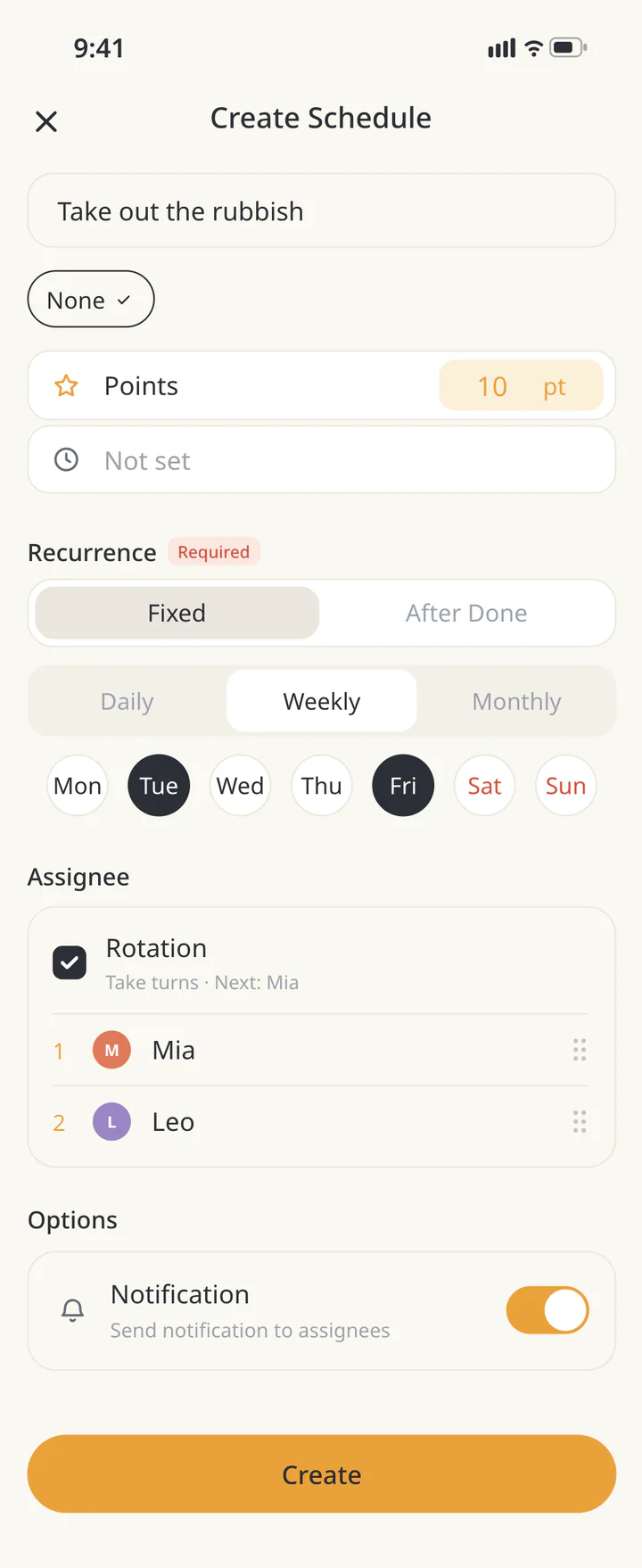
Take turns as a family on the chores you picked

ienon screen: Add a recurring chore

Cleaning safely

  • Keep the room well ventilated when using bleach indoors. Open a window or door to let fresh air in if you can.CDC — Cleaning and Disinfecting with Bleach
  • Never mix bleach with ammonia or acidic products such as vinegar.UK Health Security Agency — Sodium hypochlorite: general information
  • Follow the label. Store cleaning products in their original containers, out of children's reach.London Fire Brigade — Cleaning products

Ways to share the chores

  • Split by room

    One person can take the kitchen and the other the bathroom. Trade next time if the jobs take different amounts of time.

  • Take turns with daily chores

    If one person does the dishes today, the other can do them tomorrow. Pick Together for jobs you plan to do side by side.

Sources

FAQ

How often should I clean each room?

Use the daily, weekly, and monthly groups as a starting point. Clean spills as they happen and do the rest more or less often depending on how much each room gets used.

How can we split cleaning fairly?

Compare how long chores take and how often they come up. Use Me, Them, or Together to show who's doing what, and take turns with jobs that need doing often.

Can I print the checklist?

Yes. Letter is selected by default. Choose A4 if you need it, then select Print. Items marked Already done or Not needed are left off the printout.

What's the difference between the Done checkbox and Already done?

Check Done when you finish a task during this round. It counts toward progress and stays on the printout with a check mark. Choose Already done for a task you finished before starting this round. It is left out of the progress total and the printout.

What does my family see when I send the list?

The recipient sees your checks and assignments as they were when you sent the link, with Me and Them switched. Any tasks you added yourself stay on your device.

Where does spring cleaning fit?

Use the deep-clean group for jobs you do less often, such as washing curtains or wiping inside windows. You can do them during spring cleaning or spread them through the year.

Share the cleaning in ienon

Set up regular cleaning jobs as recurring chores so they come back on schedule, and give each one an assignee. This checklist doesn't copy into the app automatically.

ienon is free to start. Create a Home and invite the people you live with to use the same screens.

See how it works