
SITUATION — Budget
Keep shared spending and reimbursements in Group
Record expenses as they happen, before month-end turns into a search through receipts and memory. Amounts, dates, and payers make the review easier.
Start here
- 1.Agree what belongs in GroupAgree which expenses you both want to review, such as rent and groceries. To record your own spending separately from the shared budget, use Personal (Premium).
- 2.Record the payer for reimbursementsAn amount alone does not show who covered it. Set the payer and select the same month when reviewing.
- 3.Check the estimate against your agreementThe estimate assumes equal shares among the included members. Use your own agreement for a different split and arrange payment separately.
HOW TO
Three steps in ienon
- 01
Open Group
Open “Household” and select the “Group” tab.
- 02
Record the expense and who paid
In “Record”, enter the amount, date, and category, choose “Payer”, and tap “Save expense”.
- 03
Review payers for the month
Select the relevant month and open “Payer”. Check expenses without a payer and the equal-share estimate, then agree any reimbursement together.
SCREENS
See it in the app
These are app screens from version 16.3.0. The numbers match the 3 steps above.
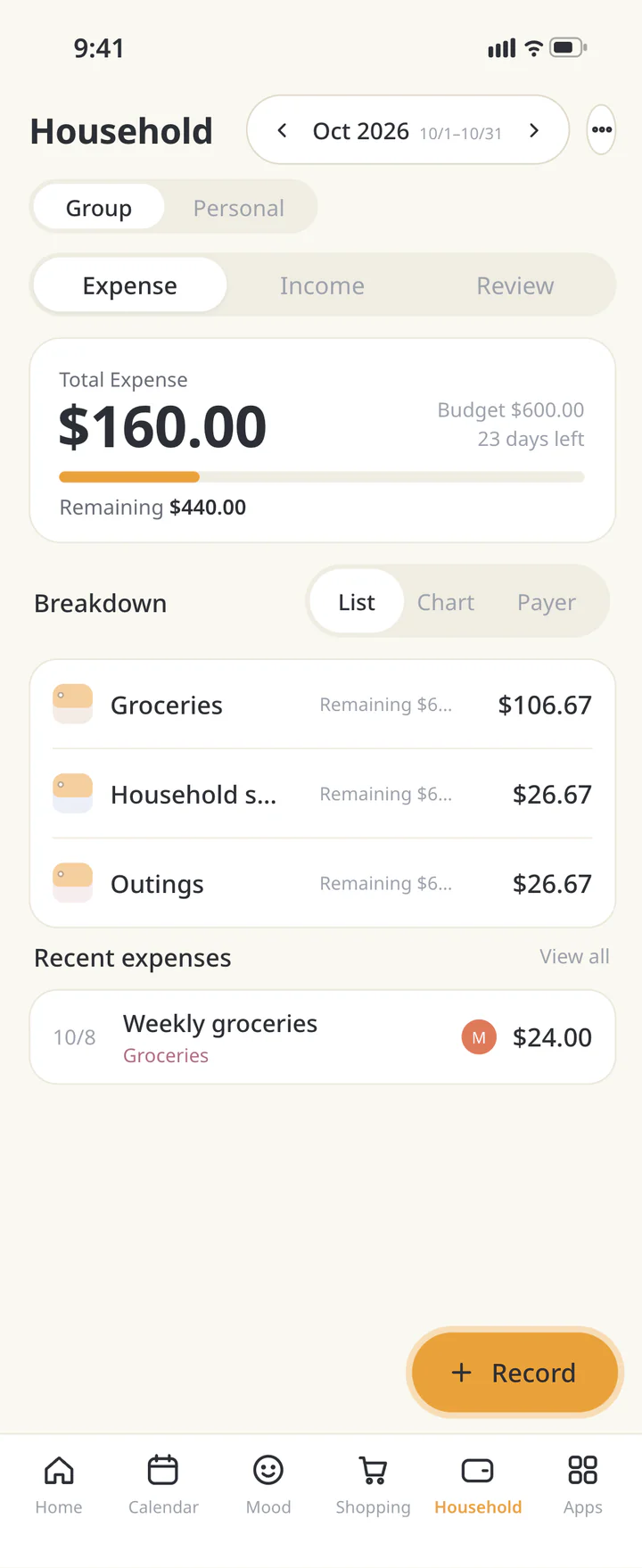 1Open Group
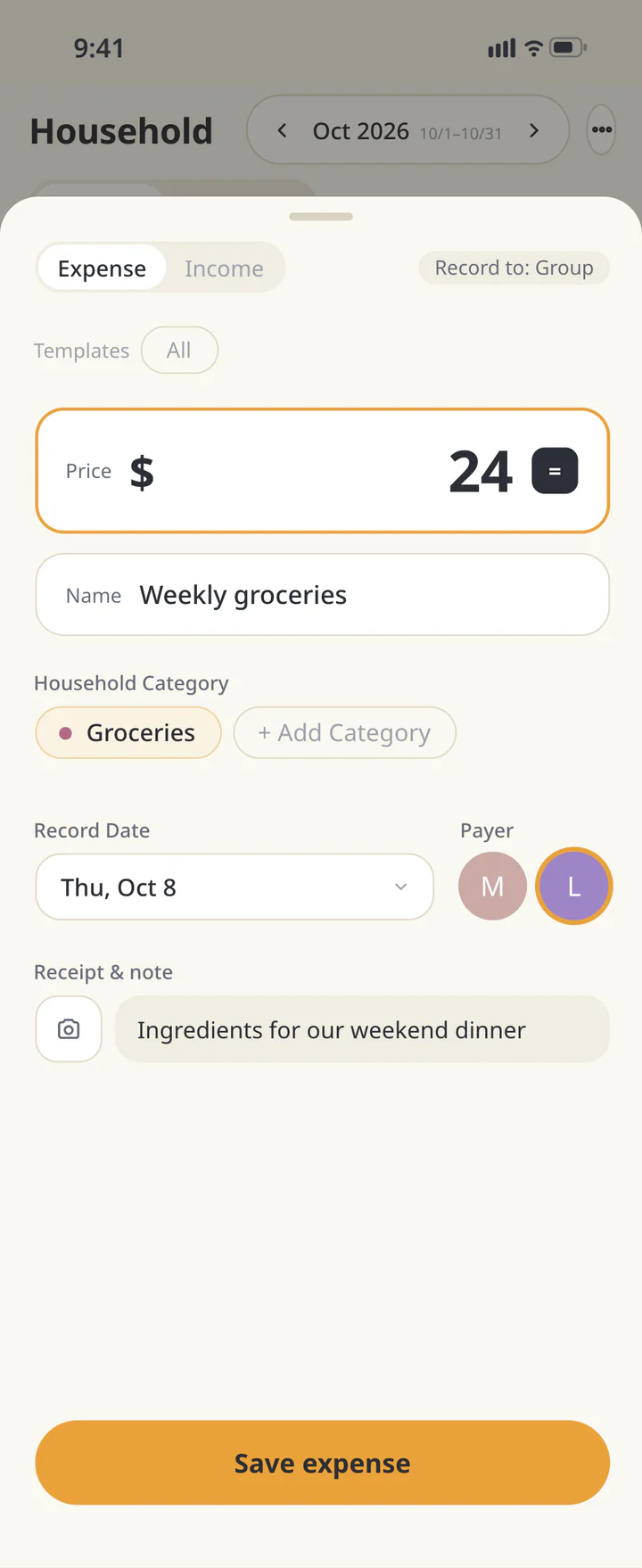 2Record the expense and who paid
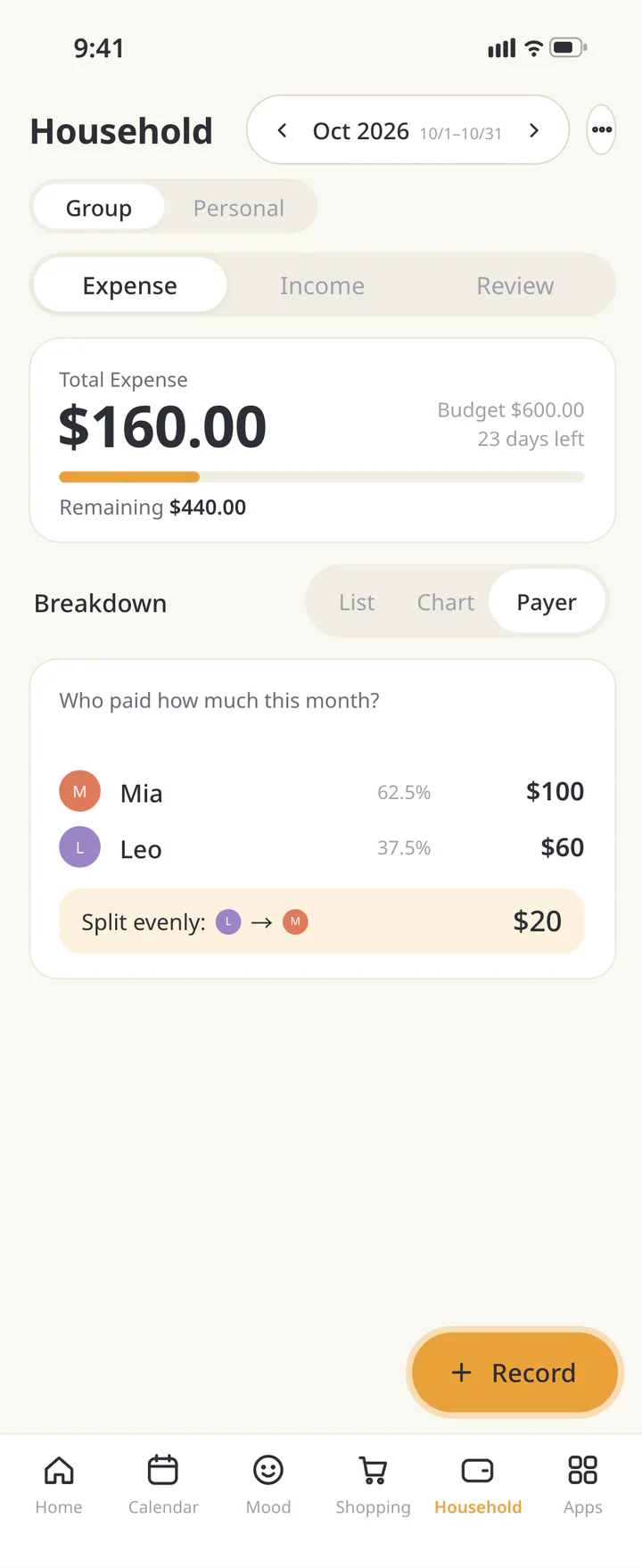 3Review payers for the month


FAQ
Common questions
QCan I record my own spending separately from the shared budget?
Set “Record to” to “Personal” to record it in your personal budget (Premium). Check whether “Record to” shows “Group” or “Personal” before recording.
QAre members who paid nothing left out?
The equal-share estimate includes eligible members who paid nothing. Expenses with no assigned payer are excluded.
QAre foreign-currency purchases converted automatically?
Record in the Home’s Household currency. Check the displayed currency and agree the amount to enter if a conversion is needed.
History: Published October 9, 2026 — checked against app 16.5.0